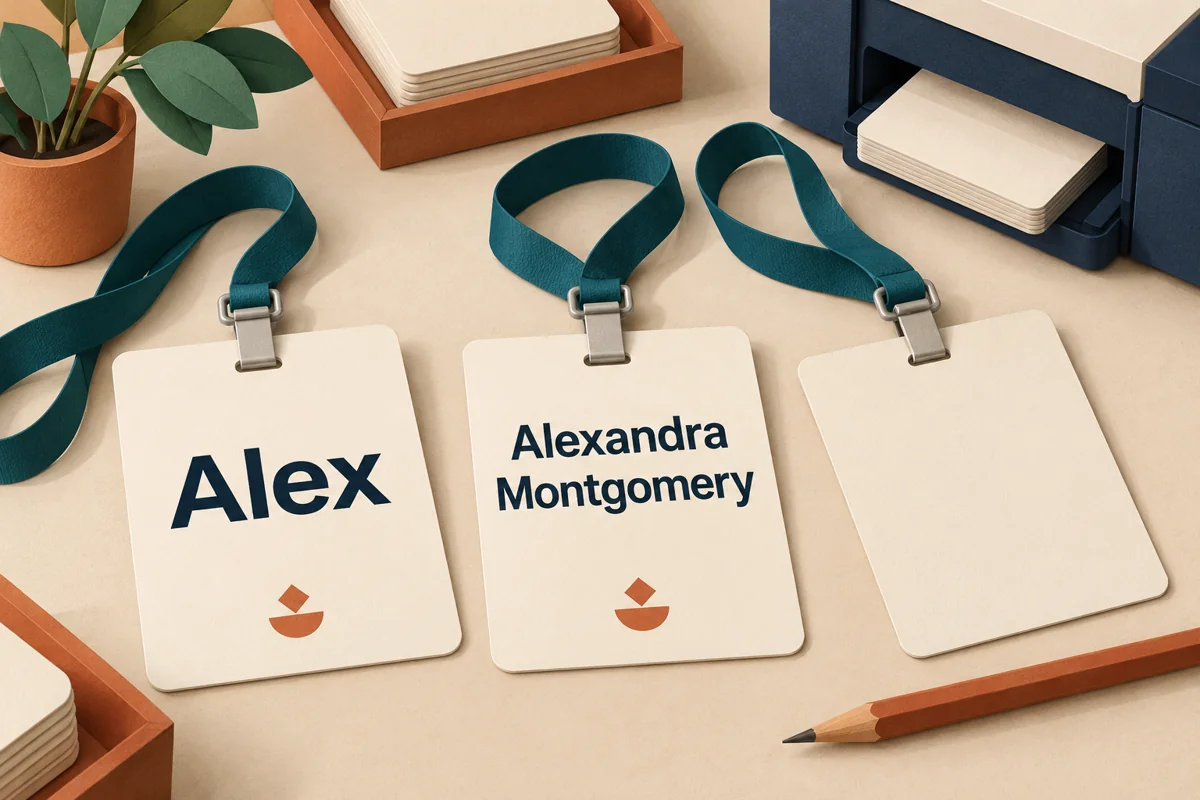
Approve event name badges with a difficult-name proof sheet, not just a polished sample that says “Alex.” A layout can look excellent with a short name and fail when the registration export supplies a long family name, an accent or a second line. For an association meeting, alumni reception or customer workshop, the buying question is simple: can people read the name without having to lean in?
Keep the name area generous before allocating space to sponsor logos. The badge is part of the event’s branding, but its immediate job is introducing a person. This guide covers the printed name and its proofing workflow—not access permissions or a promise that every attendee will be able to read print.
Start with a hierarchy, not a universal font size
Cvent’s conference-badge guidance suggests roughly 32–48-point first names as a starting range, with smaller supporting details, and recommends testing printed badges in the event environment. Treat that as a design starting point, not a readability certification or a requirement for every badge format.
Our proposed hierarchy is: attendee-approved display name first; affiliation or useful event role second; event branding third. If a sponsor block consumes the space needed for a readable name, change the block or badge format before shrinking everyone’s name. A ticket reference, full agenda and promotional message do not all need to live on the front.
Ask the printer to identify the finished badge dimensions and the usable name area after holes, clips, borders and holder edges. Review a print at actual size. A PDF enlarged on a laptop is not the same viewing task as a badge hanging on someone’s chest.
Give long names an explicit exception rule
Do not leave the production software to shrink any overflowing name until it fits. Agree a minimum name size for this design after reviewing physical proofs, then route exceptions for a human check. That minimum is an event-specific approval decision, not a universal accessibility threshold.
- Use the attendee’s requested display name. Collect it separately if the registration record has a different administrative name. Do not invent a nickname, remove accents or abbreviate a surname to rescue the layout.
- Allow a planned second line. Check the break with the person when it changes how the name reads. Do not assume that every name follows the same given-name/family-name structure.
- Remove nonessential supporting text. A long job title is a better candidate for omission than the name. Confirm which fields are genuinely needed at this event.
- Escalate what still does not fit. Use an approved alternate layout or a different badge format. Keep a list of those records for individual proof review.
The same rule should apply to on-site reprints. Otherwise a carefully approved batch can be followed by walk-in badges with tiny names or missing characters.
A six-case proof sheet to request from the printer
This is an original buyer’s acceptance aid. Use fictional records for layout tests, then review real exceptions securely with the production team. The example names below are invented test strings, not attendees or customer evidence.
- Short name: “Alex.” Check that the template does not enlarge short names so dramatically that the batch loses a consistent hierarchy.
- Long display name: “Alexandra Montgomery-Williams.” Check the approved line-break rule, type size and clear space. Replace this with a longer synthetic string if your actual export requires it.
- Accents and punctuation: “Élodie O’Neill.” Check the final printed output, not just the spreadsheet preview, for missing characters or substituted fonts.
- Missing optional fields: a display name without company or job title. Confirm that blank fields do not leave stray punctuation, labels or a broken layout.
- Additional writing system: if your attendees request one, supply an approved sample and have a fluent reviewer check its printed rendering. Do not use an unfamiliar script merely as decoration.
- Correction and reprint: change one test record after the initial export, then produce a replacement. Confirm that the correct version reaches the printer and the superseded badge is removed from the pickup stack.
Where badges include a code, test that separately using our printed QR-code scan checklist. A readable name does not prove that a code works, and a successful scan does not prove that the name is readable.
Proof the badge as worn, not flat on the desk
Put the print in the proposed holder and attach the actual lanyard or clip. Check it under representative venue lighting, at the conversational distance your event expects, and while the wearer is standing and seated. Record that distance and the conditions so a revised proof can be compared consistently. Look for reflections, concealed letters and a badge that repeatedly turns away. This is a practical design review, not a clinical vision test.
Invite feedback from people with different visual needs without treating a small review group as proof that the design works for everyone. Scope’s accessible-event guidance recommends offering different identification options, including lanyards, clip-on badges and place cards for seated events. A larger badge is not the only possible answer; provide a way to request an alternative, and keep spoken introductions part of the experience.
If the carrier also holds an access card, keep the name proof separate from credential handling. Our access-card and lanyard guide covers why changing the attachment should not mean casually punching a new hole through a credential.
Copy this release note into the print brief
Approved template/version: ____
Finished badge and visible name-area dimensions: ____
Display-name field in export: ____
Approved name typeface, size and exception floor: ____
Long-name line-break and escalation rule: ____
Required versus optional supporting fields: ____
Character/script proof reviewer: ____
Holder/lanyard used for physical review: ____
Viewing distance, lighting and issues resolved: ____
Alternate identification option and request contact: ____
Reprint operator and correction process: ____
Final data freeze and approval owner: ____
Release the batch when the exceptions work, not just the easiest name. Keep the signed proof sheet with the production file, and recheck it if the printer, font, stock, holder or export template changes.
Sources checked October 24, 2026. Hero image: AI-generated editorial illustration with fictional sample names, not an actual event badge or a readability test.